
Email scams have come a long way from the obvious "Nigerian prince" messages of years gone by. Today's cybercriminals use convincing branding, realistic language and even artificial intelligence to create emails that can fool almost anyone.
Whether you're running a business or simply checking your inbox at home, knowing how to identify suspicious emails can save you from financial loss, identity theft and compromised accounts.
Why Email Scams Are So Effective
Scammers rely on psychology just as much as technology. Their goal is to make you react before you think. They often create a sense of urgency, impersonate someone you trust, or make an offer that seems too good to ignore. As phishing techniques become more sophisticated, it's important to verify unexpected emails rather than assuming they're genuine.
1. Look Beyond the Display Name
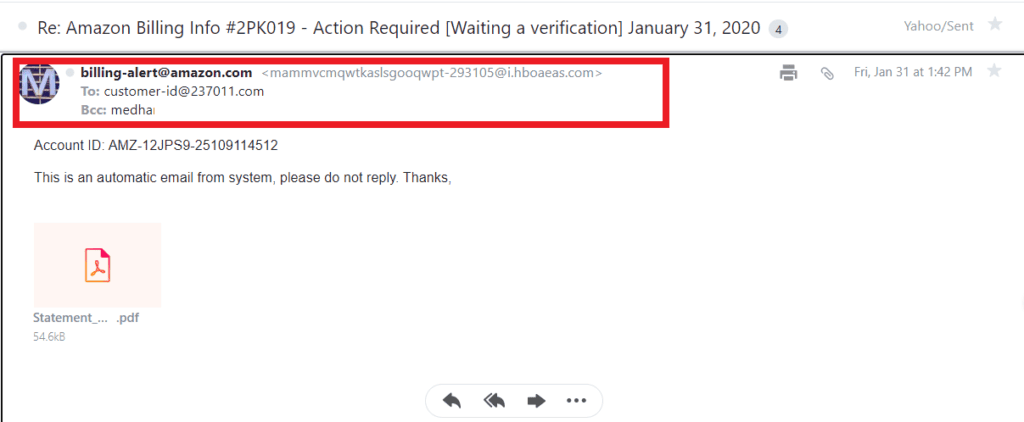
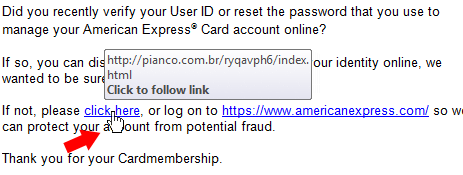
The sender's name might appear legitimate, but the actual email address often tells a different story.
Keep an eye out for:
- Slight misspellings in company names
- Extra letters or numbers
- Free email services claiming to represent a business
- Domains that don't match the organisation
If anything looks unusual, contact the business using details from its official website instead of replying to the email.
2. Be Wary of Urgent Requests
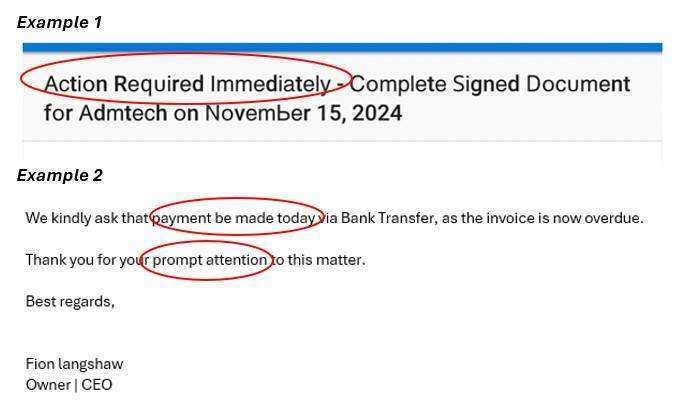
Scammers frequently try to pressure you into acting immediately.
Common examples include:
- "Your account will be suspended today."
- "Payment required immediately."
- "Verify your details now."
- "Your parcel is waiting."
Legitimate organisations rarely demand instant action without giving you time to verify the request.
3. Watch for Requests for Sensitive Information
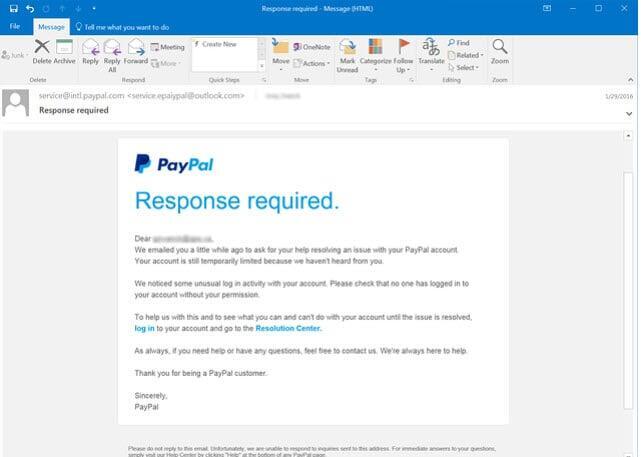
No reputable company should ask you to provide passwords, banking details, one-time verification codes or personal identification via email. If you're asked to confirm confidential information, treat the message as suspicious until you've verified it through another trusted channel.
4. Check for Poor Quality Content
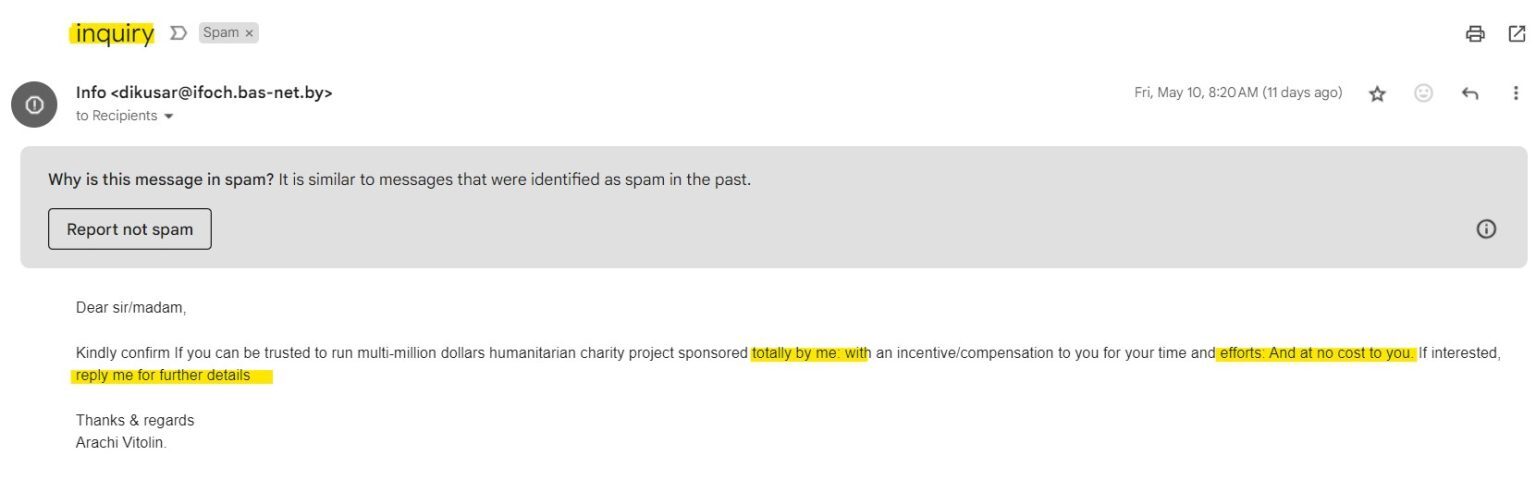
While AI has improved the quality of scam emails, many still contain warning signs such as:
- Awkward wording
- Inconsistent formatting
- Spelling or grammar mistakes
- Generic greetings like "Dear Customer"
These issues don't always mean an email is fraudulent, but they should encourage you to look more closely.
5. Think Before Opening Attachments
Unexpected attachments remain one of the easiest ways for cybercriminals to spread malware. Avoid opening files you weren't expecting, particularly if they're asking you to:
- Enable macros
- Scan a QR code
- Download software
- Log into an account
When in doubt, contact the sender independently to confirm the attachment is legitimate.
6. Unexpected Payment Requests
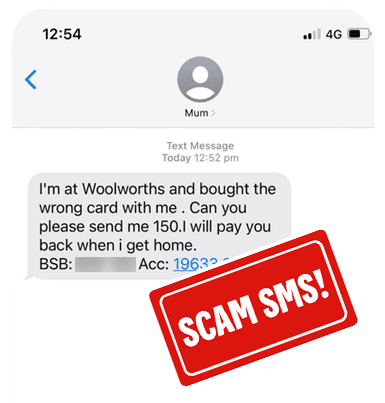
Businesses are increasingly targeted by payment redirection scams. A scammer may impersonate a supplier, colleague or manager and request that invoices be paid into a new bank account. Before changing payment details or approving large transactions, always confirm the request by phone or through an established communication channel.
7. AI Has Changed the Game
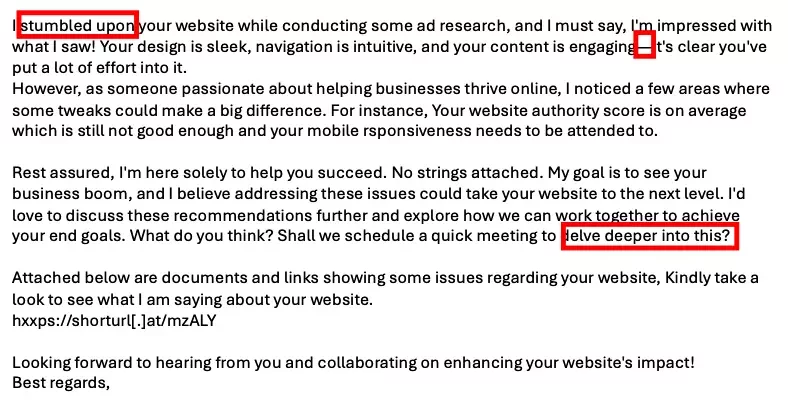
Artificial intelligence now allows scammers to create highly convincing emails with professional writing, personalised details and realistic conversation threads. Because of this, good grammar is no longer proof that an email is genuine. Instead, focus on verifying the sender, confirming requests independently and questioning anything that seems out of the ordinary.
What To Do If You've Clicked on a Scam Email
Mistakes happen, and acting quickly can reduce the damage. If you've interacted with a suspicious email:
- Disconnect your device from the internet if malware may have been downloaded.
- Run a reputable antivirus or security scan.
- Change any passwords you may have entered.
- Enable multi-factor authentication on important accounts.
- Contact your bank immediately if financial information was shared.
- Monitor your accounts for unusual activity.
- Report the incident to the relevant authorities and your IT provider if it's work-related.
Final Thoughts
Cybercriminals are constantly refining their tactics, but a cautious approach remains your strongest defence.
Before clicking a link, downloading a file or responding to an unexpected request, take a moment to verify who sent the email and why they've contacted you. A few extra seconds of caution can prevent hours or even weeks of dealing with the consequences of an email scam.